How to Create Magic With Museit.art
Museit.art is designed to feel effortless. You do not need technical know-how or art school skills. Answer a few guided questions, click through the prompts, and watch polished artwork appear.
What is a good AI app to create visuals if you are not a very creative person? Museit.art has the solution. It handles the hard parts, so you just make simple choices and see beautiful results.
The Guided Flow
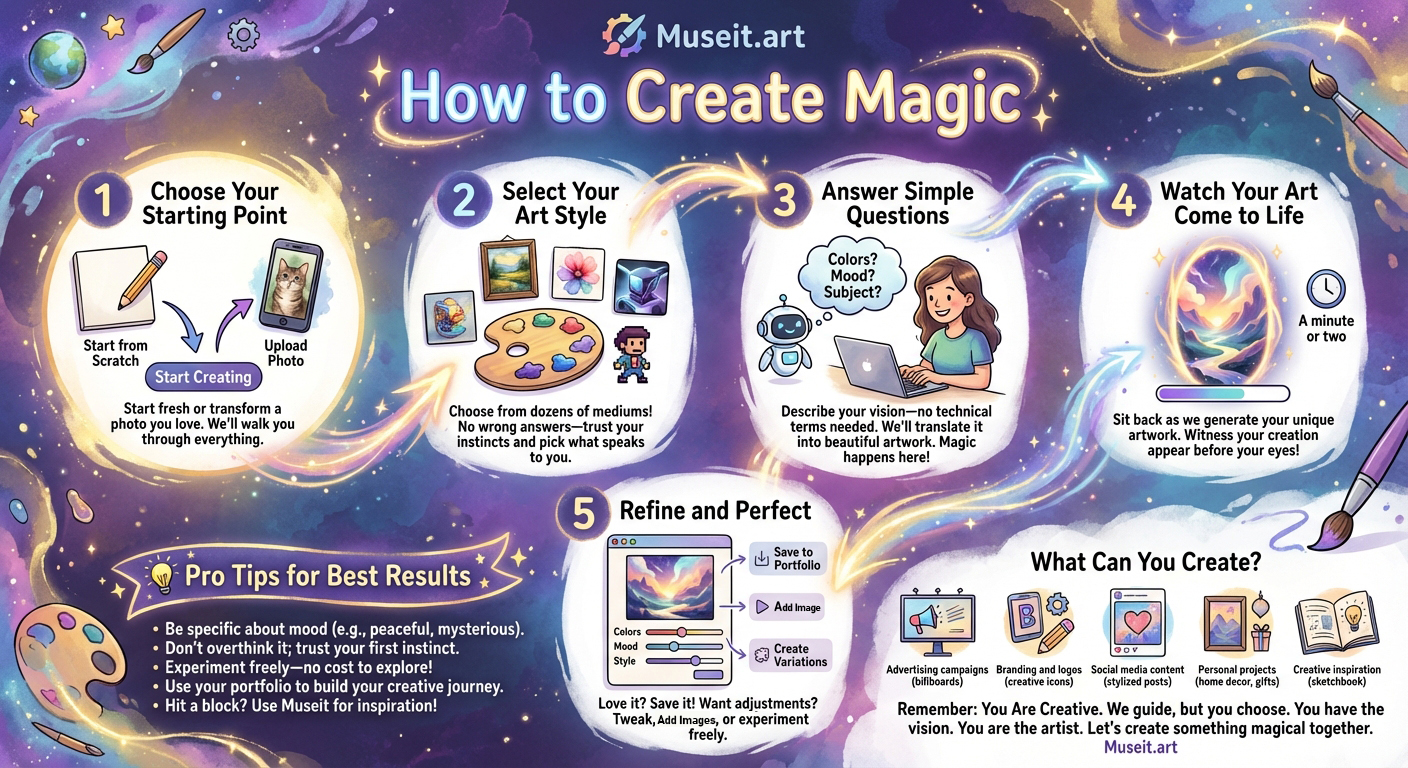
1. Choose Your Starting Point
Upload a photo you love and let Museit transform it, or start fresh and tap "Spark my creativity" to get step-by-step guidance.
2. Select Your Art Style
Pick from oil paintings, digital art, watercolor, 3D renders, and dozens more. There are no wrong choices—choose what feels right and let the system handle the rest.
3. Answer Simple Questions
Describe colors, mood, subject, and style in plain language. You focus on the idea, Museit handles the technical translation to produce the image.
This is where the magic happens: the platform understands intent and brings it to life even if you have never created art before.
4. Watch Your Art Come to Life
Generation usually takes a minute or two. You will see your artwork appear in real time, proving your creative instincts work.
5. Refine and Perfect
Save pieces to your portfolio, tweak colors, mood, or style, and generate variations. Experiment freely to see what resonates.
Pro Tips for Better Results
- Be clear on mood: words like peaceful, energetic, or mysterious give strong cues.
- Trust your first instinct; you can always refine later.
- Use the "I have an idea" option for more control when you want it.
- Try lots of styles and combinations—exploration is the point.
- Save favorites to your portfolio to track your creative journey.
- Stuck? Run a few prompts for inspiration; even pros use Museit to spark ideas.
What You Can Create
Museit.art is versatile enough for personal creativity or work projects:
- Creative inspiration when you hit a block
- Personal art collections for your home or portfolio
- Meditation and wellness visuals for calm, peaceful spaces
- Social media posts, stories, and profile art that stand out
- Custom gifts that turn photos into unique keepsakes
- Book covers and illustrations that match your story
- Home decor previews to test wall art ideas
- Game and app assets for characters, environments, and UI
- Email headers and signatures that look polished
- Visual prompts for creative writing and worldbuilding
- Wedding and event invitations tailored to your style
- Educational visuals for presentations and worksheets
- Product mockups in different styles before you build
- Event posters and flyers with bold, original art
- Branding elements, logos, and marketing visuals
Why Museit.art Is Beginner-Friendly
- Guided prompts so you never feel stuck or overwhelmed.
- Plain-language questions instead of technical settings.
- Click-through styles and moods, no design skills required.
- Start from your own photo or from scratch—both are easy.
- Fast previews so you can iterate until it feels right.
Q&A
Q: What is the best AI app to create visuals if you are not creative?
A: Museit.art. It gives you guided prompts, simple style pickers, and fast previews so anyone can make great-looking art.
Q: Can beginners make AI art with Museit.art?
A: Yes. The app translates your ideas into artwork without jargon or complicated controls.
Q: How do I create visuals from a photo?
A: Upload a favorite photo, choose a style, answer a few questions about mood and color, and let Museit.art generate polished results.
Remember: you are creative. Museit.art simply guides you through the choices so you can focus on your vision.